




Y!mobile Online Store Anniversary Sale
Close

AI Glasses

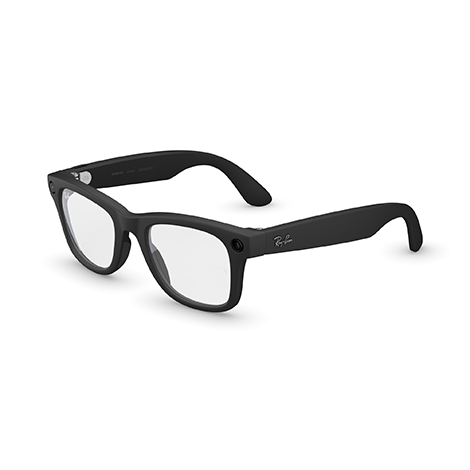
Ray-Ban Meta Wayfarer Gen 2Matte BlackClear lenses

ワイモバイル誕生感謝祭 第2弾対象

  • Ray-Ban Meta Wayfarer Gen 2 Matte Black Clear Lens Smart Glasses | Y!mobile
  • Ray-Ban Meta Wayfarer Gen 2 Matte Black Clear Lens Smart Glasses Meta AI Information | Y!mobile
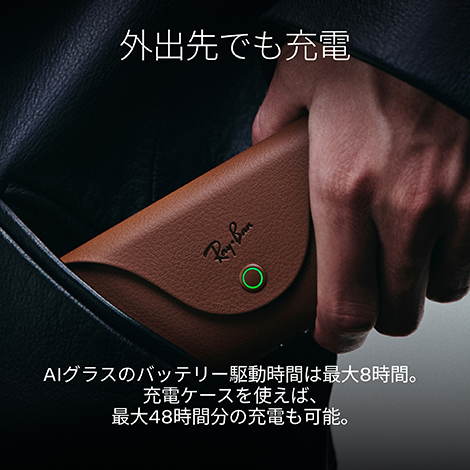
  • Holding the Ray-Ban Meta Wayfarer Gen 2 brown charging case in my hand. Charge your headphones on the go! | Y!mobile
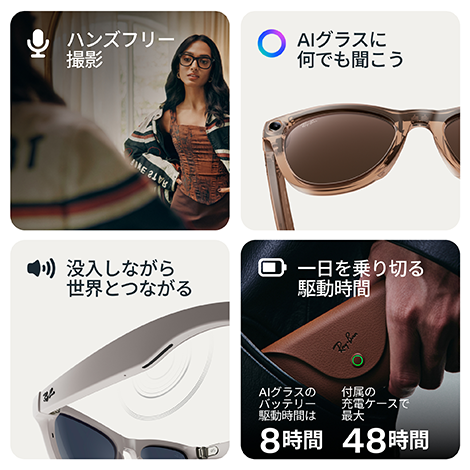
  • Introducing Ray-Ban Meta Wayfarer Gen 2 Smart Glasses: hands-free shooting, AI features, and long battery life | Y!mobile
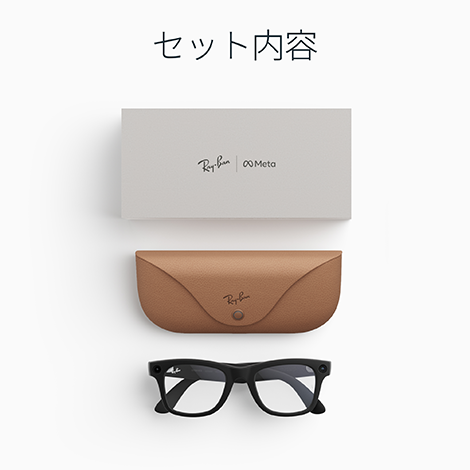
  • Ray-Ban Meta Wayfarer Gen 2 Matte Black Clear Lens Smart Glasses Set Contents | Y!mobile Y!mobile
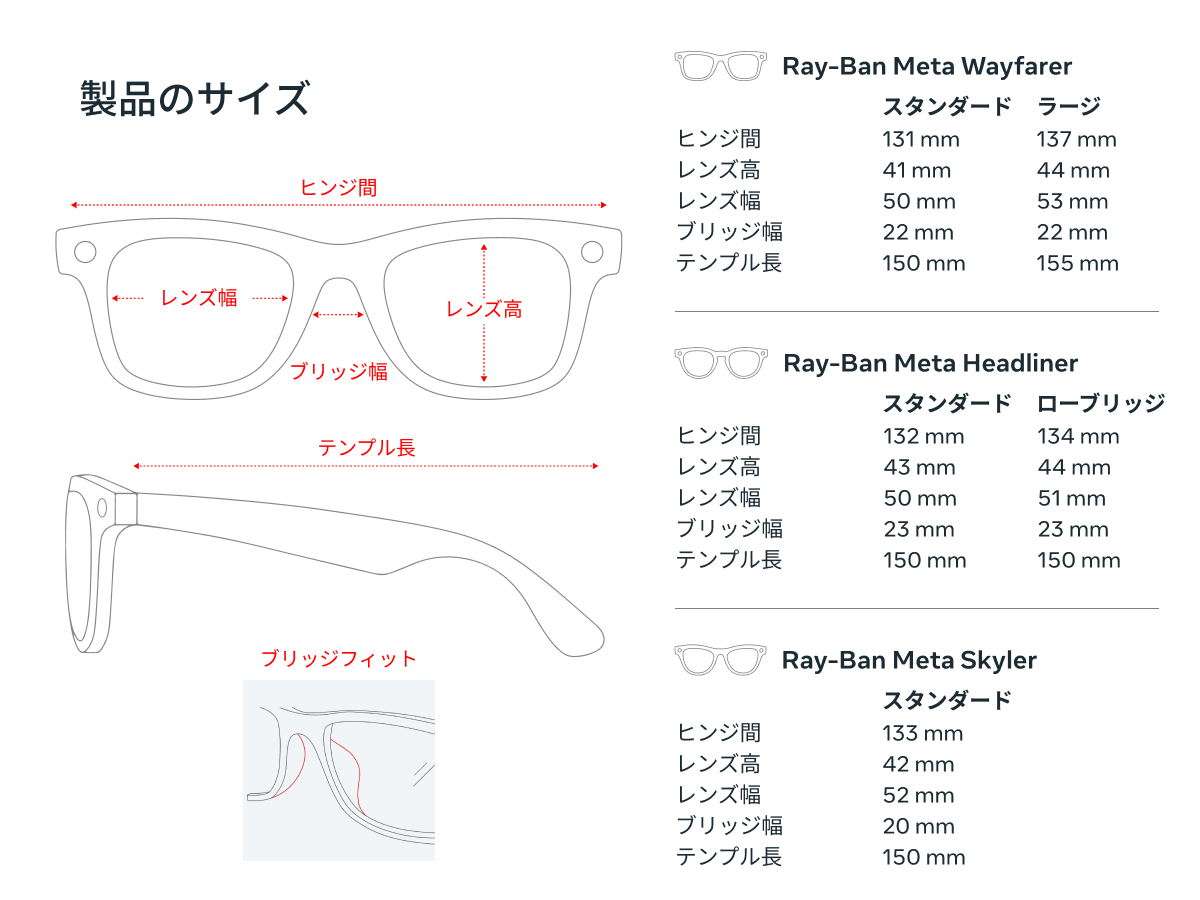
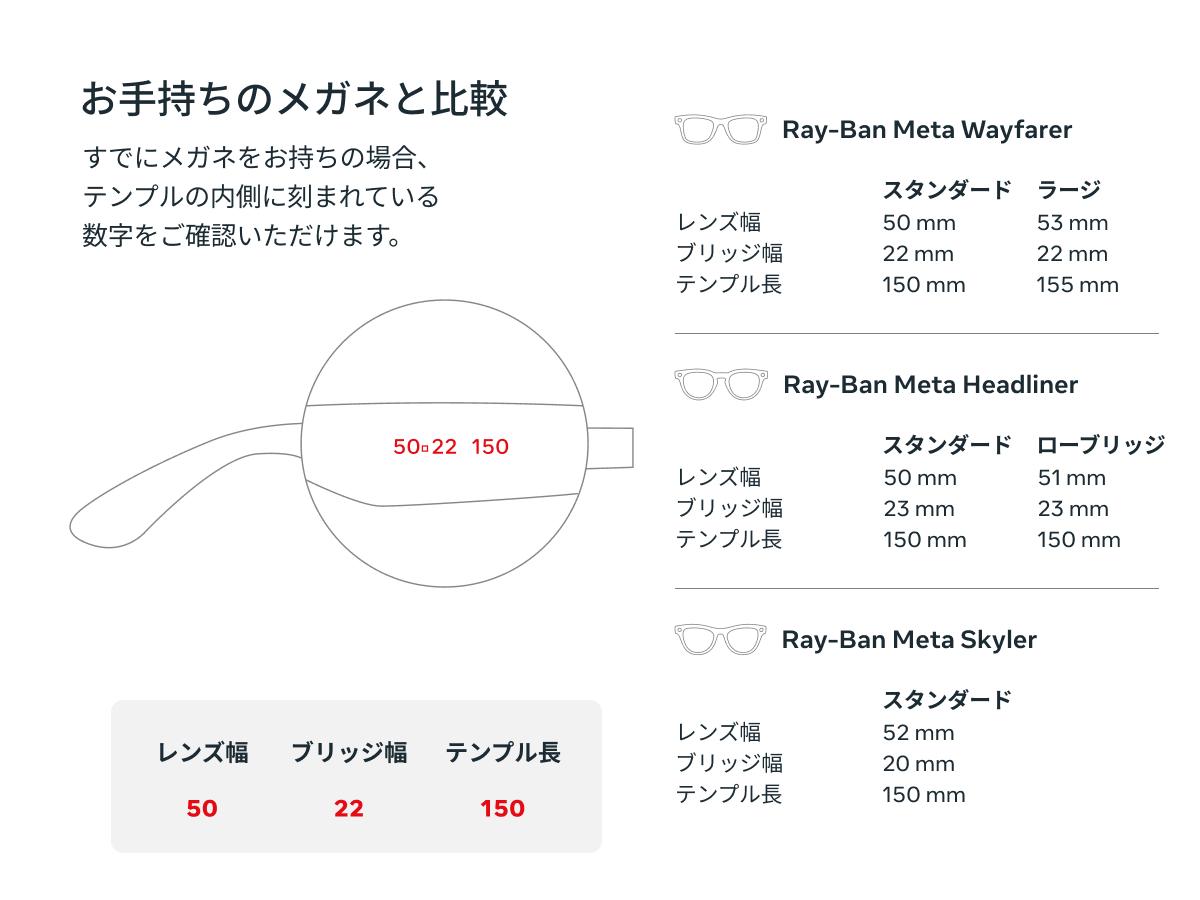
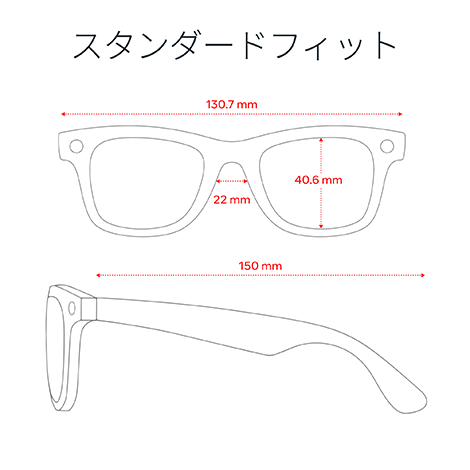
  • Dimensions diagram for Ray-Ban Meta Wayfarer Gen 2 Smart Glasses standard fit | Y!mobile
Close
  • Product Price
  • Product Information

48 Monthly Installments

1,716円/月→

1,545yen/month

48 installments, 49-month payment period, 0% effective annual interest rate
Total payment (installment sales price) / Cash sales price82,368円→74,160 yen

Payment in full, 24 installments, and 36 installments are also available.
 For details, click “Check availability & order.”

*If you do not have a Y!mobile line, you can only purchase this product as a one-time payment.

Apply through the online store
Ships as Early as the Same Day — Free Shipping!

Check availability & order

Product Overview

Frame: Matte Black
Lens: Clear lens
Size: M size

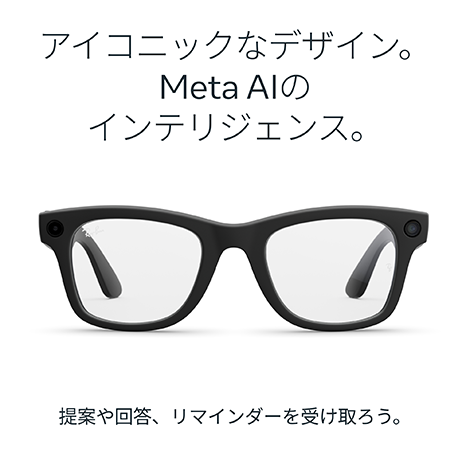
  • Embrace iconic style and cutting-edge technology with Ray-Ban Meta. Take photos and videos, listen to music, and make hands-free calls. Easily ask Meta AI questions on the go.
  • Interact with Meta AI to receive various suggestions, answers, and reminders. Live translation enables two-way conversations in six languages (with more to be added in the future).
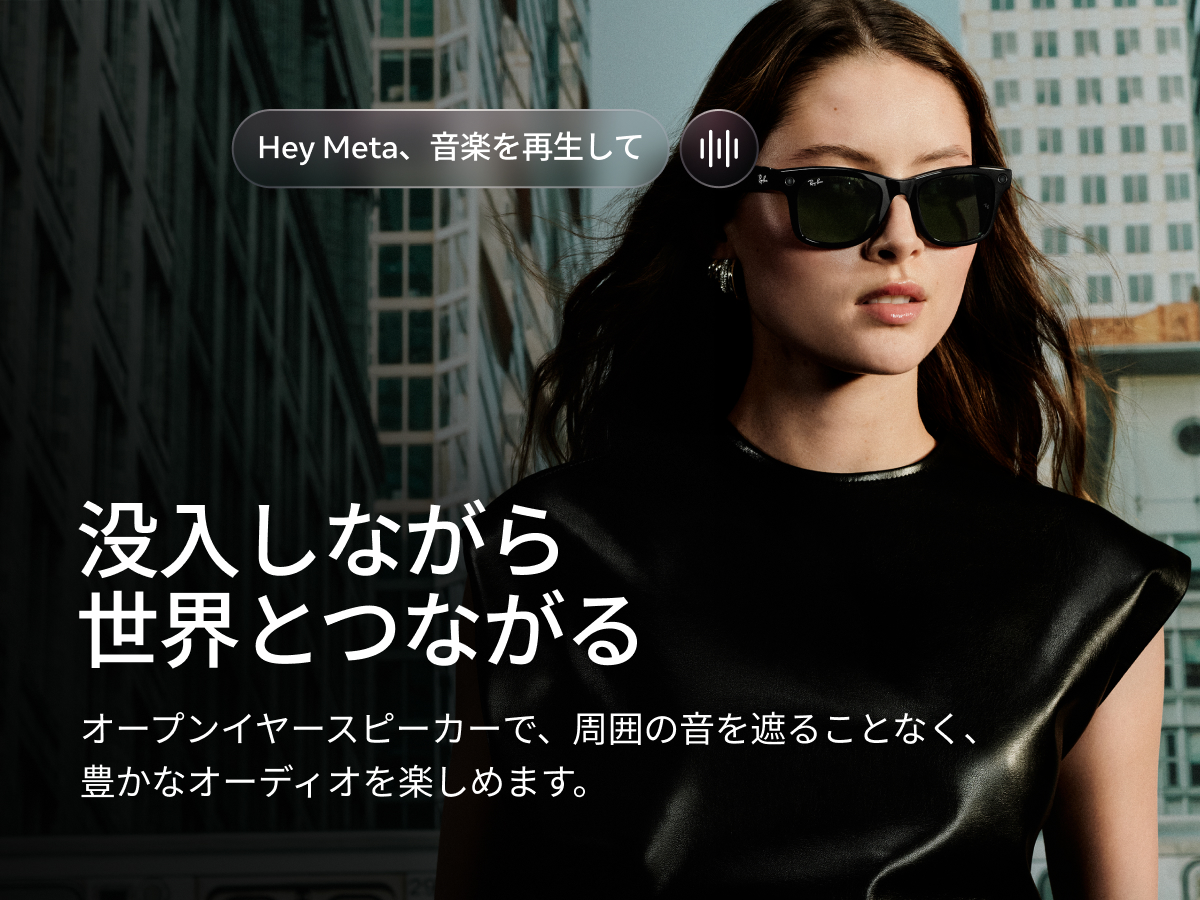
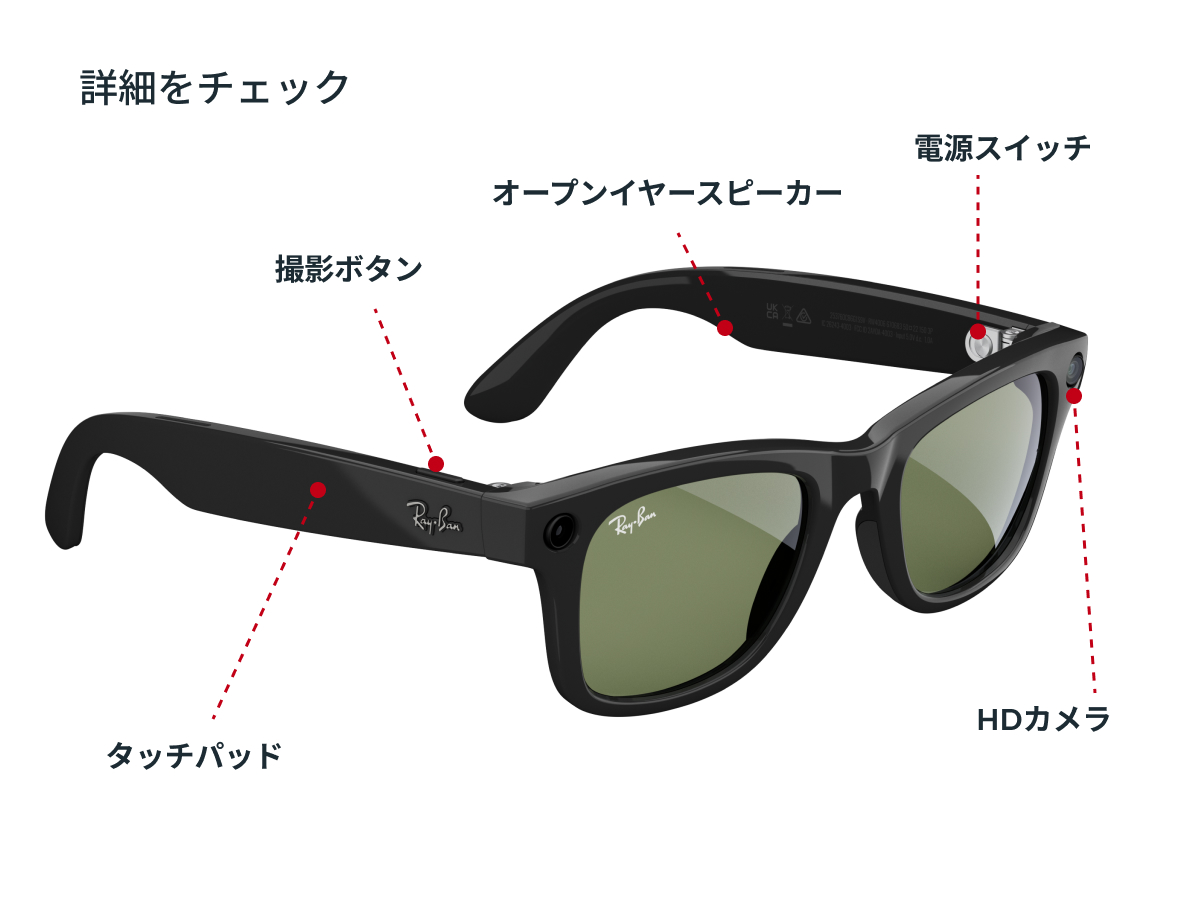
  • These discreet open-ear speakers allow you to enjoy music and other audio with rich, high-quality sound without blocking out surrounding conversations or ambient noise.
  • With a full charge, AI Glasses can be used for up to 8 hours under normal use. Using the charging case, you can extend the usage time to up to 48 hours when you're on the go.
  • Ray-Ban Meta glasses let you control your own privacy. Voice commands can be turned on or off at any time, and you can manage other privacy settings as well.
  • Clear lenses
    Blue light blocking lenses are designed to enhance visual comfort by cutting out blue light from displays, indoor fluorescent lights, and sunlight.

Set contents:
AI Glasses
Charging case
Cleaning cloth
Reference Guide

connection
Wi-Fi: Wi-Fi 6 Certified
Bluetooth: Bluetooth 5.3
Supported OS: iOS 15.2 or later, Android 10 or later


Product details

Advanced technology and sophisticated style are combined. Advanced technology and sophisticated style are combined.
Ask anything you want with Meta AI-powered AI Glasses. Ask anything you want with Meta AI-powered AI Glasses.
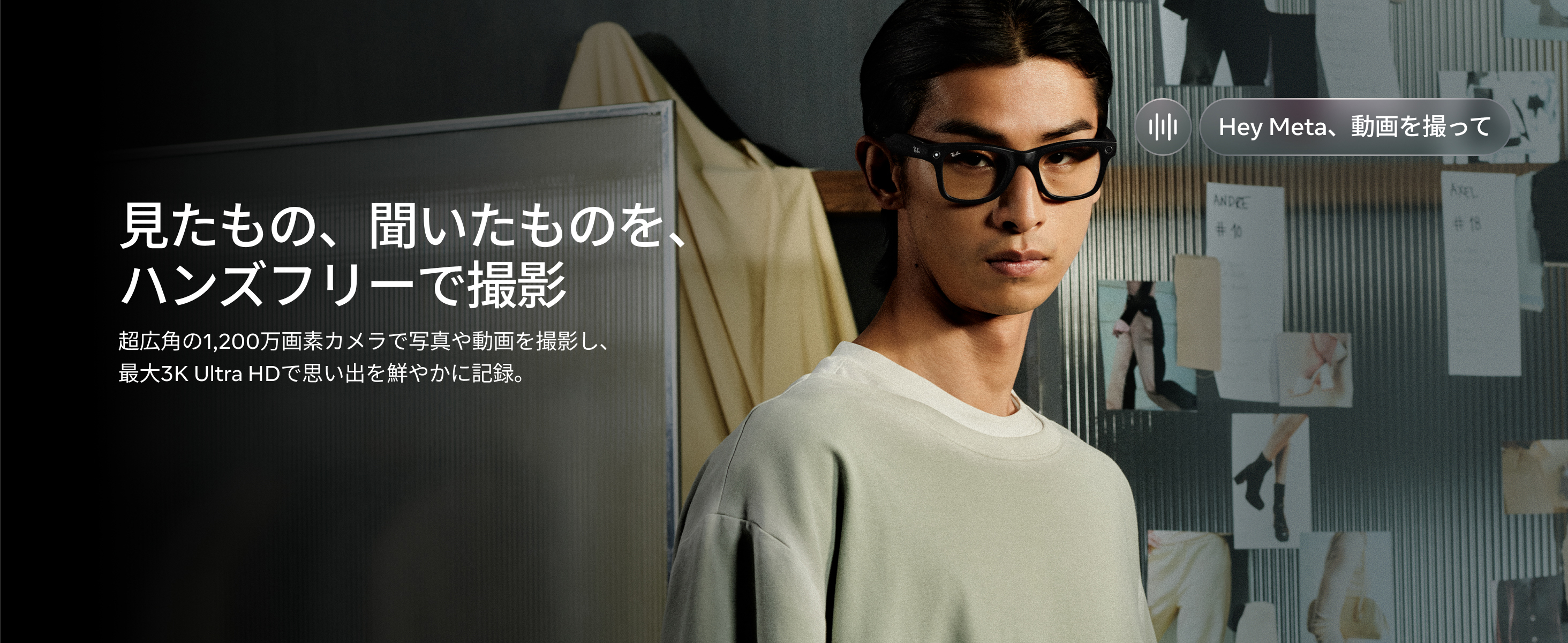
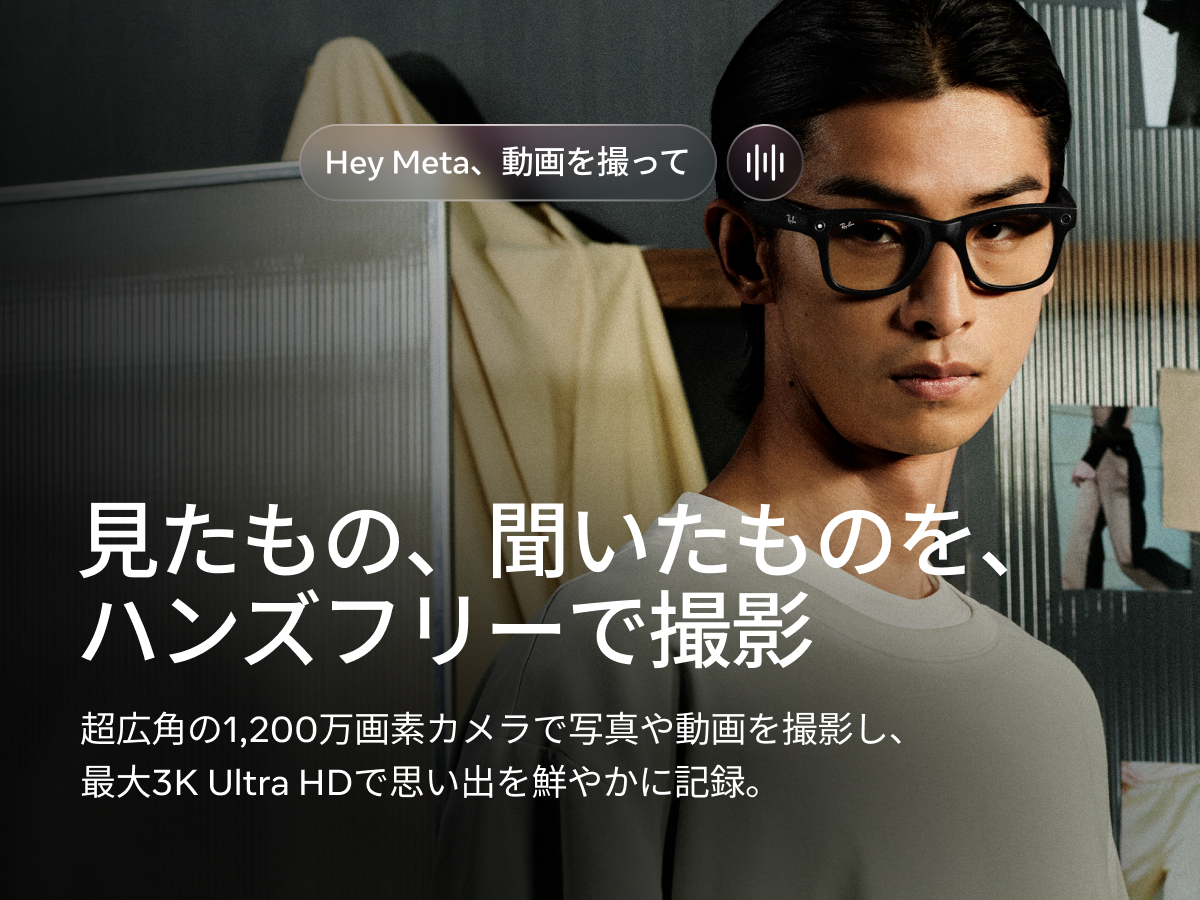
Filming what you see and hear hands-free. Filming what you see and hear hands-free.
Immerse yourself and connect with the world Immerse yourself and connect with the world
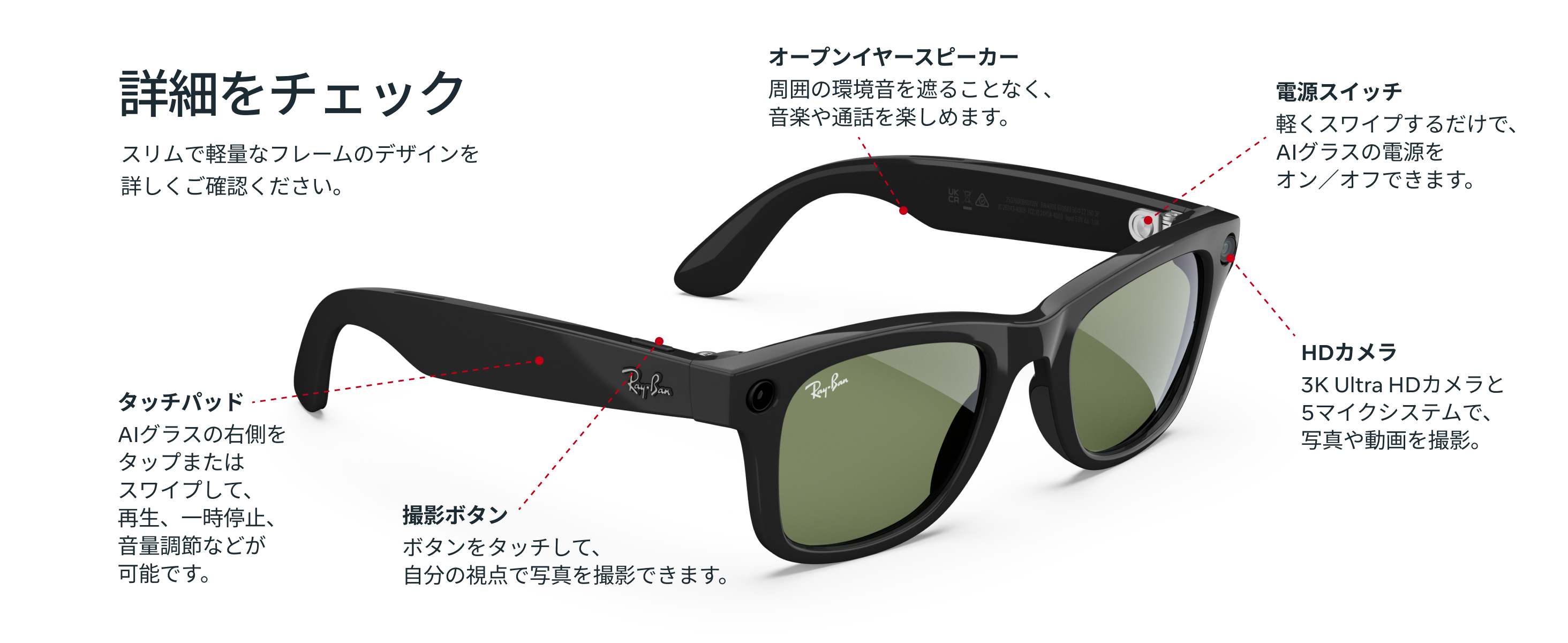
Check details Check details
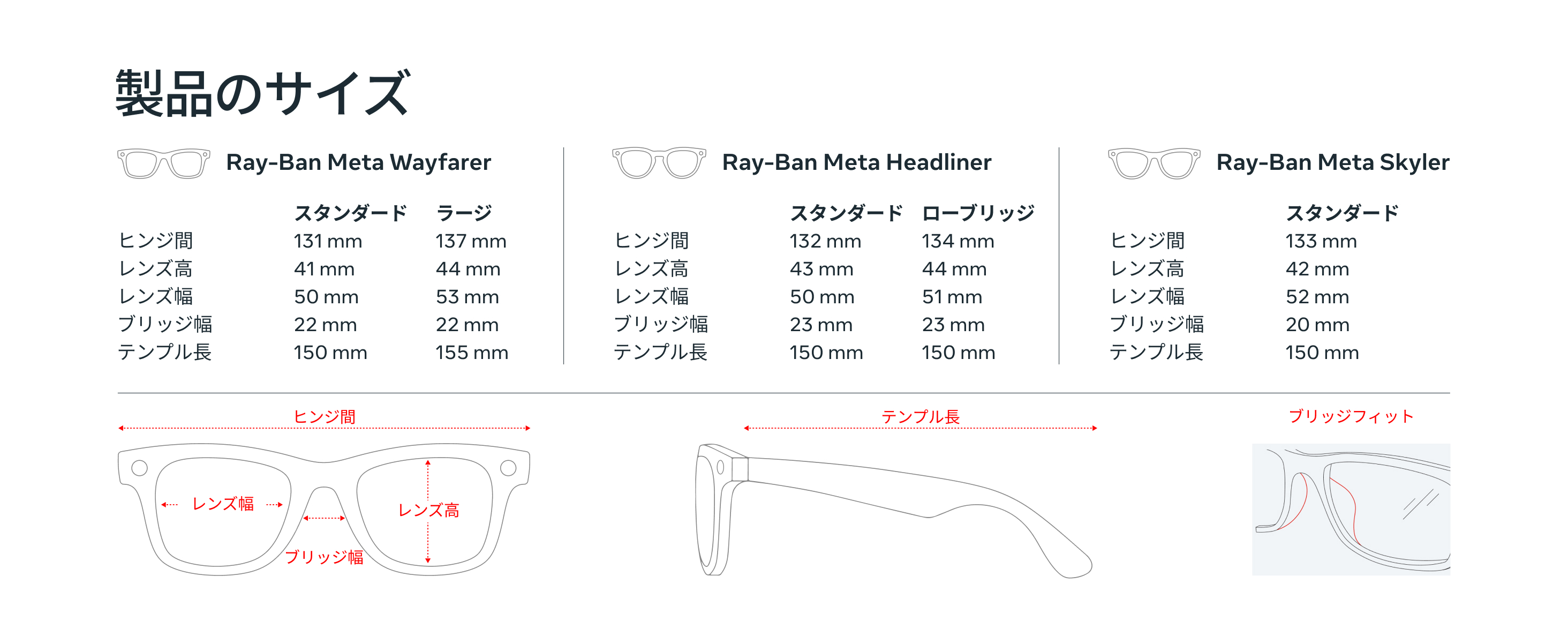
Product size Product size
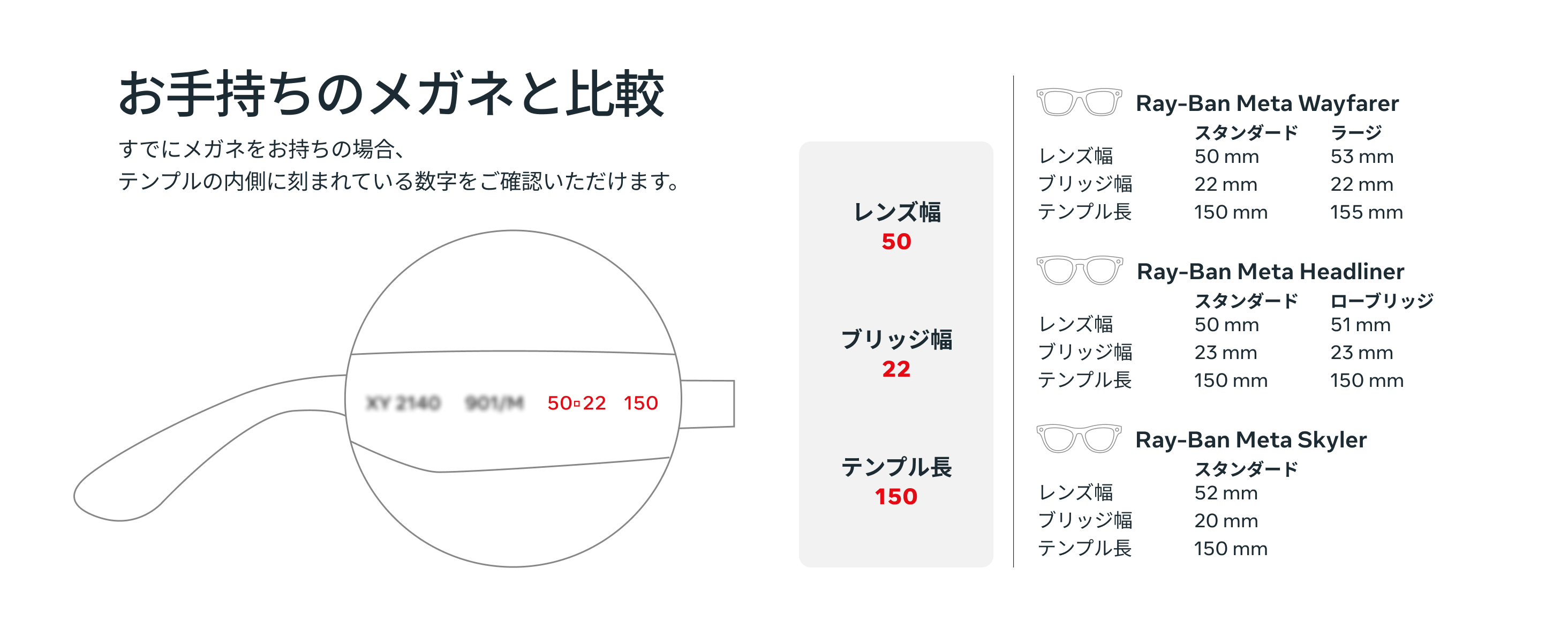
Compare with your existing glasses Compare with your existing glasses
  • * Y!mobile only carries the Wayfarer Standard model.
  • Ambient temperature can affect the device's performance. Using the device in extremely hot or cold environments may reduce battery life. Furthermore, the device's processing speed and other functions may be affected by many external factors, including the user's location, the device's battery status, its temperature, internet connection status, and interference from other devices.
  • Voice commands are available in select countries and languages only. Please check the available regions.
  • Some Meta AI features are only available in specific countries and languages. Please check the available regions.
  • The main device can be used continuously for up to 8 hours on a single charge. The charging case can provide up to 40 hours of charge per charge (when fully charged). Battery life varies depending on usage and settings.
  • A charging cable is not included with the Ray-Ban Meta (Gen 2) package. Please purchase one separately.
  • A Meta account and the Meta AI app are required to use the device. Suitable for ages 13 and up. Please ensure your smartphone is running Android 10 or later (with location services enabled) or iPhone 10 or later (with iOS 14.4 or later), and that you have a Wi-Fi internet connection.

Related Information

FAQs

What do I need to use Ray-Ban Meta?
To use Ray-Ban Meta glasses (Gen 1 or Gen 2), you need to connect AI Glasses to your smartphone and the Meta AI app. Here's what you'll need:
Smartphones: Android 10 or later (with location services enabled) or iPhone 10 or later (running iOS 14.4 or later). See also the list of compatible devices.
Wireless internet access, USB-C charging cable and plug (if charging from a wall outlet rather than directly from a USB port), a valid Meta account, and the Meta AI app (downloadable from the Apple and Google Play app stores).
Many of AI Glasses' features can be used regardless of whether or not they are connected to the internet, but Meta AI requires an internet connection.
For more details, please see the section on using AI Glasses.
What can you do with Ray-Ban Meta glasses?
With Ray-Ban Meta, you can take photos and videos, listen to music through the built-in Bluetooth speaker, control AI, make calls, and send messages simply by giving voice commands. Viewing, sharing, saving photos and videos, and managing settings are done by pairing the glasses with the Meta AI mobile app. Because Meta AI is directly integrated into the app, you can interact with the Meta AI assistant from either the glasses or the app.
Please provide contact information for inquiries regarding initial defects or lens replacements.
For inquiries regarding initial defects or support such as lens replacement, please check the official Meta support or Ray-Ban FAQ.
Please note that Y!mobile does not handle inquiries regarding initial defects or provide support such as lens replacement.
Close the window and proceed
*If you cannot close the button by tapping it,
Please close your browser by clicking "x".