





This page explains the procedure for reissuing an eSIM. If you delete your eSIM profile, or if your device is lost, damaged, or reset, you will need to reissue your eSIM.
You can complete the procedure through My Y!mobile.
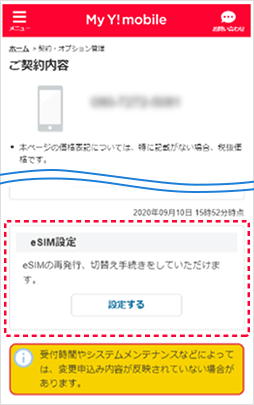
Log in to My Y!mobile, select "Contract confirmation/change", display "Contract details", and select "eSIM settings".
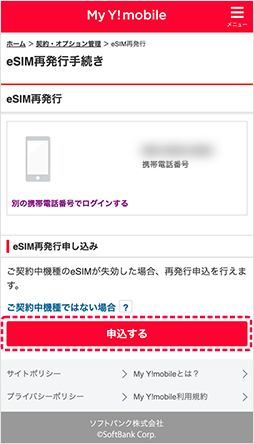
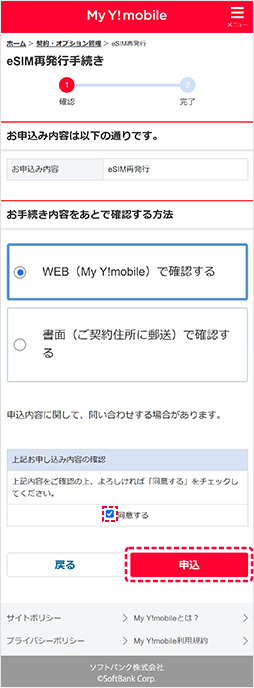
Please check that the phone number of the eSIM you wish to reissue is correct and then select "Apply."
Please check the details, check "I have confirmed the above details," and select "Apply."
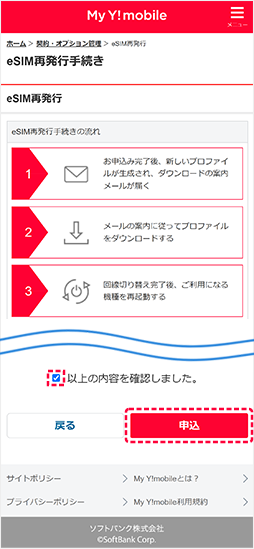
Please check the details and select "Apply".
*If the option "How to check the procedure details later" is displayed, please select it.
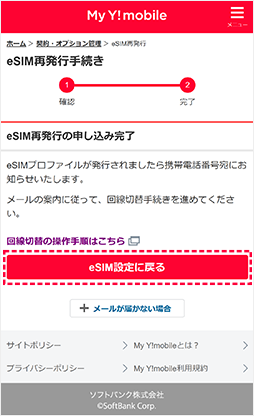
Your reissue request has been completed.
A notification of profile issuance will be sent to your mobile phone number.
Next, select "Return to eSIM settings" to switch lines.
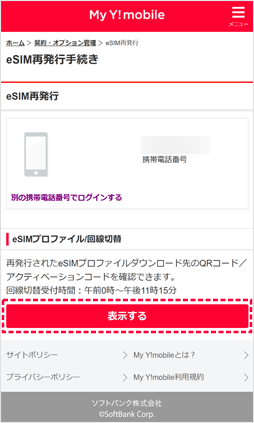
If the eSIM reissue has been completed, the eSIM profile/line switch will be displayed, so select "Show."
When the QR code is displayed, scan it with the new device you plan to use and follow the instructions on the device to download the profile.
Once the profile download is complete, the line will be switched automatically.
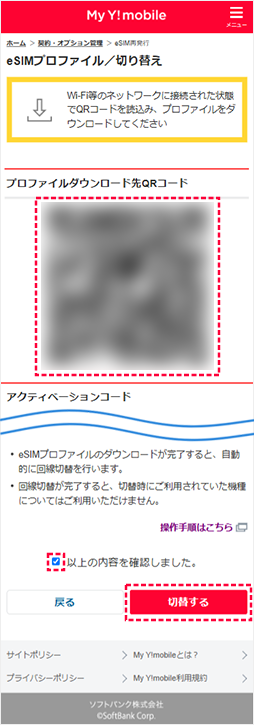
The eSIM switch is now complete. Restart your phone to check that the switch has been completed.
*If the line cannot be switched automatically, you will receive an email notifying you of the line switching procedure. Please tap the URL in the email to complete the procedure.
Log in to My Y!mobile, select "Contract confirmation/change", display "Contract details", and select "eSIM settings".
Please check that the phone number of the eSIM you wish to reissue is correct and then select "Apply."
Please check the details, check "I have confirmed the above details," and select "Apply."
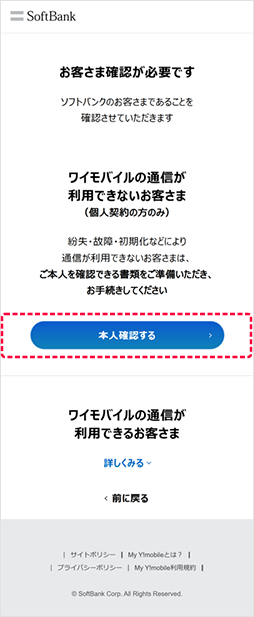
Customers who cannot use Y!mobile communications will need to verify their identity. Please prepare your identity verification documents and select "Verify Identity."
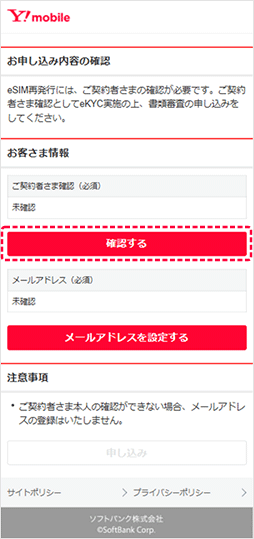
Select "Confirm."
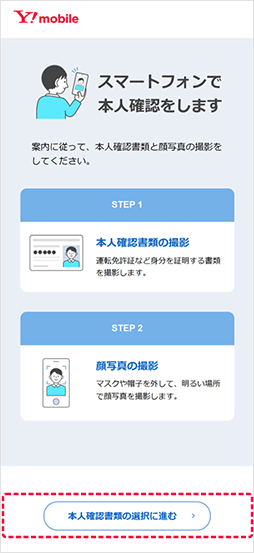
Please follow the procedure to submit your identification documents and take a photo of your face.
If you have not registered an email address, you will need to set one. Select "Set up email address."
If you have already registered, this procedure is not necessary. Even if you have already registered, you can still change your email address.
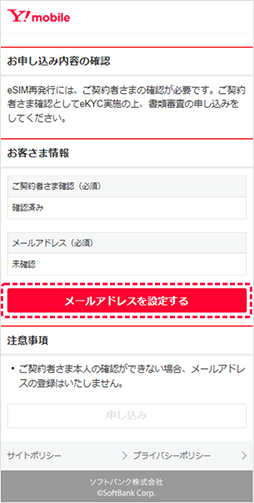
Enter your email address and select "Send confirmation number."
Please register an email address that can be accessed on a computer, such as Yahoo! Mail or Gmail.
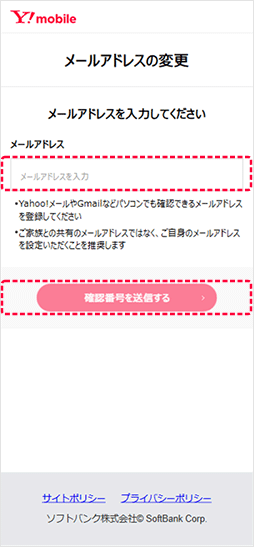
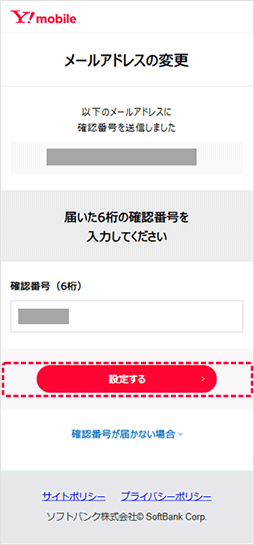
To verify your identity, a security number will be sent to your registered email address.
Enter the number you received and proceed.
Please confirm your application details and select "Apply".
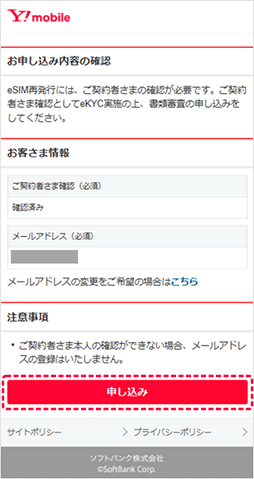
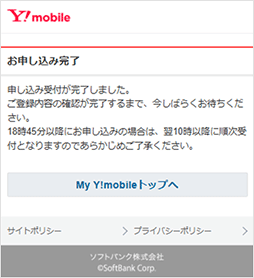
When the following completion screen is displayed, the procedure is complete. Please wait for contact regarding reissuance.
After applying for an eSIM reissue, you will receive an email with a URL. Click on the URL to access My Y!mobile and log in.
When the QR code is displayed, scan it with the new device you plan to use and follow the instructions on the device to download the profile.
Once the profile download is complete, the line will be switched automatically.
The eSIM switch is now complete. Restart your phone to check that the switch has been completed.
*If the line cannot be switched automatically, you will receive an email notifying you of the line switching procedure. Please tap the URL in the email to complete the procedure.